Disclosure: This review may contain affiliate links. As an Amazon Associate, I earn from qualifying purchases—at no extra cost to you.

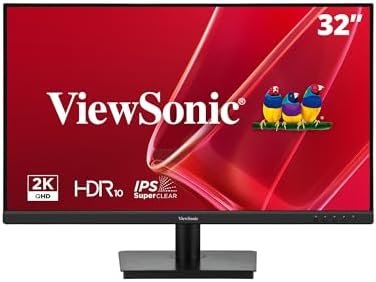
For home office professionals, hybrid workers, and entertainment-focused users, the monitor is the primary gateway to the digital world. Choosing the right display involves balancing resolution, panel technology, ergonomic features, and connectivity. The ViewSonic VS3225-2K enters this space as a 32-inch QHD option that aims to deliver a comprehensive package without pushing into premium pricing territory. This analysis breaks down the confirmed specifications and features of this monitor to help you determine if it aligns with your specific needs.
📊 Quick Specifications Table
✨ Key Features
Based on the official product listing, the ViewSonic VS3225-2K is built around several core features that define its intended use case. These are not speculative additions but confirmed elements of the monitor’s design.
QHD Resolution and IPS Panel
The display is built around a 2560 x 1440 resolution, which the listing notes is roughly double the pixel count of a standard 1080p display. This higher density allows for sharper text, more detailed spreadsheets, and a larger workspace for multitasking. The SuperClear IPS technology provides a 178-degree viewing angle, ensuring that colors and contrast remain consistent when viewing the screen from off-center positions. This is particularly relevant for collaborative work or when the monitor is positioned in a shared space.
Frameless Design for Multi-Monitor Setups
The monitor features a frameless, edge-to-edge screen design. This is a practical consideration for users who plan to run multiple displays side-by-side. The thin bezels minimize the gap between screens, creating a more continuous visual field. This makes the VS3225-2K a candidate for a multi-monitor productivity setup where a seamless transition between displays is beneficial.
Variable Refresh Rate Technology
To address visual artifacts during motion, this monitor is equipped with Variable Refresh Rate (VRR) technology, specifically referencing FreeSync. This feature allows the monitor to synchronize its refresh rate with the output of a compatible graphics card. The practical benefit is a reduction in image tearing, stuttering, and jerkiness, which is most noticeable in games and fast-moving video content.
Eye Care and Comfort Features
Extended screen time can lead to eye fatigue. The VS3225-2K includes Flicker-Free technology and a Blue Light Filter to help mitigate this. These features work to reduce the strain associated with prolonged use, making the monitor more suitable for long work sessions or extended viewing periods.
Connectivity and Audio
Connectivity is handled through HDMI and DisplayPort inputs. This provides flexibility for connecting a variety of devices, including desktop PCs, laptops, and Macs. The monitor also includes dual integrated speakers, which eliminates the immediate need for external speakers for basic audio output, though dedicated speakers would still be preferable for critical listening.
🎨 Design and Build Considerations
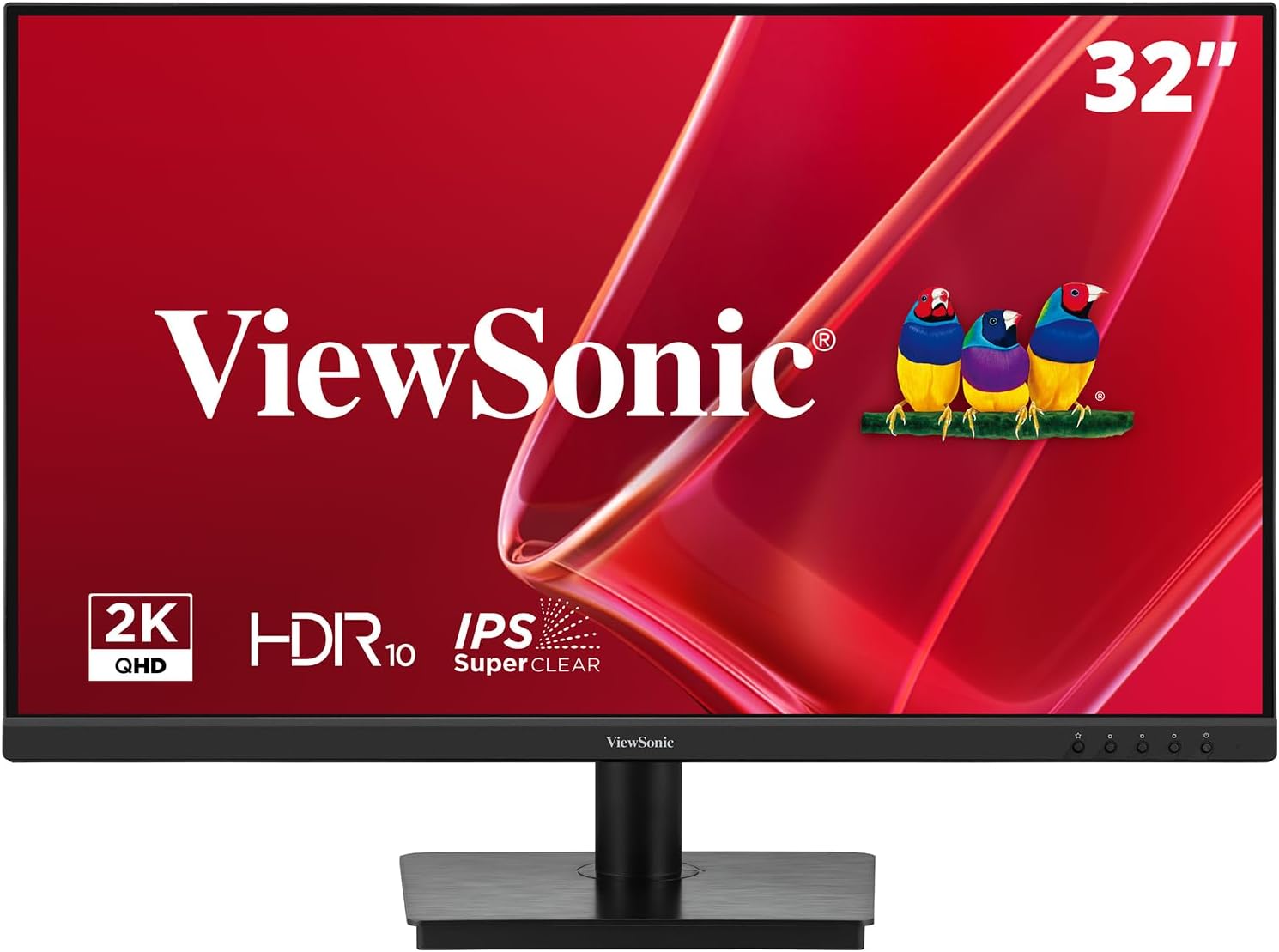
The physical design of this monitor is oriented toward functionality and space efficiency. The frameless aesthetic is not just for looks; it is a key feature for multi-monitor configurations. The flat panel shape and matte screen surface suggest an environment-conscious design intended to reduce glare in well-lit rooms.
For workspace flexibility, the monitor is VESA-compatible, meaning it can be attached to a wall mount or an aftermarket monitor arm. This is a significant advantage for users who need to free up desk space or prefer a specific ergonomic positioning that the stock stand might not offer. The included components are straightforward: an AC/DC adapter, an HDMI cable, the display itself, a power cable, and a quick start guide. This means you have the essential cables to get started immediately out of the box.
With a weight of 15 pounds and dimensions of 9.1″D x 28.1″W x 20.5″H, this is a substantial 32-inch display. Buyers should account for the physical footprint on their desk, especially if they are moving from a smaller monitor. The matte screen finish is a practical choice for offices with overhead lighting or windows, as it helps to diffuse reflections rather than mirror them.
⚡ Performance Expectations
When discussing performance, it is important to frame expectations based on the confirmed specifications rather than hypothetical scenarios. This monitor is not positioned as a high-refresh-rate esports display; instead, its performance profile is tailored for productivity, general entertainment, and casual gaming.
The combination of QHD resolution and a 75Hz refresh rate offers a noticeable upgrade over a standard 60Hz 1080p office monitor. The higher refresh rate makes general desktop navigation, scrolling through documents, and window management feel smoother. The 4ms response time is a standard figure for IPS panels and is sufficient to avoid significant ghosting in most content, though it is not designed for competitive, fast-paced gaming where a 1ms TN or high-end IPS panel would be preferred.
The VRR (FreeSync) support is a valuable addition for gaming on a PC with a compatible AMD graphics card or an adaptive-sync-capable device. It helps to keep gameplay fluid by minimizing screen tearing when frame rates fluctuate. However, the practical performance will depend on the exact HDMI and DisplayPort versions supported, which are not explicitly listed. Buyers should verify these versions on the Amazon listing to ensure compatibility with their specific graphics card outputs.
For productivity, the 32-inch QHD panel provides ample screen real estate. Users can comfortably view two full documents side-by-side or have multiple application windows open without feeling cramped. The IPS panel ensures that colors remain accurate when viewed from different angles, which is beneficial for reviewing photos or collaborating with a colleague. The integrated speakers are a convenience feature; they are suitable for system sounds, video conferencing, and casual video playback, but they are not a substitute for a dedicated soundbar or external speakers for high-fidelity audio.

⚖️ Pros and Cons
Based strictly on the confirmed data, here is a balanced look at the strengths and potential limitations of this monitor.
Pros
- High-Resolution Workspace: The 2560 x 1440 resolution provides a significant upgrade in screen real estate and sharpness compared to 1080p.
- IPS Panel Accuracy: SuperClear IPS technology ensures consistent colors and image quality across a wide 178-degree viewing angle.
- Multi-Monitor Friendly: The frameless design minimizes bezel interruption, making it an excellent choice for multi-display setups.
- Reduced Eye Strain: Flicker-Free technology and a Blue Light Filter are included to enhance comfort during long sessions.
- Flexible Connectivity: The inclusion of both HDMI and DisplayPort inputs ensures compatibility with a wide range of PCs, laptops, and Macs.
- VESA Mount Compatibility: Offers the flexibility to be mounted on a wall or an articulating arm to save desk space.
- Comprehensive Warranty: A 3-year limited warranty on parts, labor, and backlight provides peace of mind.
Cons
- Not for Competitive Gaming: The 75Hz refresh rate and 4ms response time are not optimized for high-speed, competitive esports titles.
- Basic Audio: The dual integrated speakers are suitable for basic use but lack the depth and bass of dedicated external speakers.
- Unspecified Port Versions: The exact HDMI and DisplayPort versions are not confirmed, which may require verification for users with very specific hardware requirements.
- Standard Brightness: The 250 cd/m² brightness is adequate for most indoor environments but may not be ideal for very brightly lit rooms with direct sunlight.
🆚 Comparison with Similar Products
To understand where this monitor fits, it is useful to compare it against other common categories in the display market. This comparison is general and category-based, not a direct model-to-model analysis.
vs. Standard 1080p Office Monitors: Compared to a typical 24-inch or 27-inch 1080p office display, this monitor offers a substantial upgrade in both size and resolution. The jump to QHD on a 32-inch panel provides a much crisper image and more desktop space. The 75Hz refresh rate is also a step up from the standard 60Hz, making the overall experience feel more fluid. This monitor is a clear step forward for users who feel constrained by a 1080p workspace.
vs. 4K Monitors: A 4K monitor at 32 inches offers an even higher pixel density, resulting in sharper text and more detail. However, 4K requires more graphics processing power, and scaling can sometimes be an issue in certain applications. This QHD monitor strikes a balance between resolution and performance. It offers a sharp image without the high system requirements of 4K, making it a more practical choice for users with mid-range laptops or PCs that may struggle to drive a 4K panel smoothly.
Check latest price and availability on Amazon
vs. High-Refresh-Rate Gaming Monitors: Gaming monitors with 144Hz or 240Hz refresh rates are designed for competitive play where every millisecond matters. This monitor, with its 75Hz refresh rate, is not in that category. However, it does include VRR technology, which is a feature often found in gaming monitors. This makes it a good option for a hybrid user who wants a large, high-resolution screen for work but also enjoys casual gaming without screen tearing. It is a compromise that favors productivity over extreme gaming performance.
🛒 Buying Guide
This monitor is best suited for a specific type of user. Understanding who will benefit most from its feature set is key to making a purchase decision.
Who is this monitor for?
- Home Office and Remote Workers: The QHD resolution is excellent for managing multiple documents, spreadsheets, and communication tools simultaneously. The eye care features are a significant benefit for those who spend 8+ hours a day in front of a screen.
- Productivity-Focused Professionals: Accountants, writers, programmers, and data analysts will appreciate the extra vertical and horizontal space that QHD provides. The IPS panel ensures that colors are accurate, which is also useful for light photo editing or design work.
- Casual Gamers: If you play games occasionally and prioritize visual quality and a smooth experience over competitive frame rates, this monitor is a good fit. The VRR support helps to keep gameplay smooth, and the 75Hz refresh rate is a noticeable upgrade from 60Hz.
- Multi-Monitor Users: The frameless design makes this an ideal building block for a multi-display setup. The thin bezels create a nearly seamless view across multiple screens, which is excellent for trading, video editing timelines, or expansive productivity workflows.
Who should look elsewhere?
- Competitive Gamers: If you play fast-paced shooters or esports titles and require the highest possible refresh rates, you should look for a monitor with at least 144Hz.
- Professional Content Creators: While the IPS panel offers good color accuracy, it is not specified as a factory-calibrated, wide-gamut display. Professionals requiring precise color reproduction for print or video production may need a more specialized monitor.
- Users Needing USB-C Connectivity: This monitor only lists HDMI and DisplayPort inputs. If you require a single-cable USB-C solution to charge your laptop and transmit video, this monitor does not offer that feature.
✅ Key Things to Verify Before Buying
Before making a final decision, there are a few details that are not fully clarified in the core product description. It is prudent to verify these on the Amazon listing or the manufacturer’s website.
- Exact Port Versions: The listing confirms the presence of HDMI and DisplayPort but does not specify the exact versions (e.g., HDMI 1.4 vs. 2
- 2.0, DisplayPort 1.2 vs. 1.4). This matters for achieving the full 75Hz refresh rate at QHD resolution and for enabling VRR with your specific graphics card. Check the detailed specifications on the Amazon page for this information.
- Stand Adjustability: The listing confirms VESA compatibility but does not detail the ergonomic adjustments of the included stand. It is unclear if the stand offers height, tilt, or swivel adjustments. If ergonomic flexibility is critical for your setup, you may need to factor in the cost of a separate VESA mount or arm.
- VRR Compatibility: While the monitor supports FreeSync, the listing does not specify if it is officially G-Sync compatible. If you have an NVIDIA graphics card, you should verify whether the monitor supports G-Sync over DisplayPort or if it will only work in a compatible mode. This information is best confirmed through the manufacturer’s official documentation.
- Power Consumption and Voltage: The listing specifies a voltage of 28 volts, which is an unusual figure for a monitor. This likely refers to the power adapter’s output. Verify that the included AC/DC adapter is compatible with your region’s power outlets and that the monitor’s energy consumption aligns with your expectations for a 32-inch display.
- Physical Dimensions with Stand: The dimensions provided (9.1″D x 28.1″W x 20.5″H) likely include the stand. However, it is worth double-checking the depth and height on the Amazon listing to ensure it will fit comfortably on your desk, especially if you have limited depth space or overhead cabinets.
❓ Frequently Asked Questions (FAQ)
Is this monitor suitable for Mac users?
Yes, the listing explicitly states that the monitor is compatible with Macs. It includes both HDMI and DisplayPort inputs, which are standard connectivity options on most Mac models. However, it is important to note that the monitor does not list USB-C connectivity, so Mac users with only USB-C/Thunderbolt ports will need to use an adapter (e.g., USB-C to HDMI or USB-C to DisplayPort) to connect.
Can I use this monitor for console gaming?
The monitor supports a 75Hz refresh rate and includes VRR technology. It can be used with game consoles that support HDMI output. However, the exact gaming experience will depend on the console’s output capabilities. For example, a console that outputs at 120Hz will be limited to the monitor’s 75Hz maximum. The monitor’s QHD resolution is supported by some consoles, but you should verify your console’s output settings for the best compatibility.
Does the monitor come with all necessary cables?
Based on the confirmed included components, the monitor ships with an HDMI cable, a power cable, and an AC/DC adapter. A DisplayPort cable is not explicitly listed as included. If you plan to use a DisplayPort connection, you may need to purchase a cable separately.
What is the benefit of the frameless design?
The frameless design minimizes the bezel around the screen. This is particularly beneficial for multi-monitor setups, as it reduces the visual gap between screens, creating a more seamless and immersive viewing experience. It also gives the monitor a more modern and sleek appearance on a single-monitor desk setup.
Is the monitor good for photo editing?
The monitor uses an IPS panel, which is known for good color consistency and wide viewing angles. It also supports HDR10 content, which can enhance the viewing experience. However, the listing does not specify a factory-calibrated color gamut (e.g., sRGB or Adobe RGB coverage). For professional photo editing where color accuracy is critical, you may want to verify the color space coverage on the manufacturer’s website or consider a monitor specifically designed for content creation.
Does the monitor have built-in speakers?
Yes, the monitor includes dual integrated speakers. These are suitable for basic audio needs such as video conferencing, system sounds, and casual video playback. For a more immersive audio experience, connecting external speakers or a headset is recommended.
🏁 Final Verdict
The ViewSonic VS3225-2K is a well-rounded 32-inch QHD monitor that targets a clear and practical audience. It successfully bridges the gap between a standard office display and a gaming-oriented monitor, offering a high-resolution IPS panel, a smooth 75Hz refresh rate, and VRR support. The frameless design and VESA compatibility make it a strong candidate for multi-monitor productivity setups, while the eye care features add value for users who spend long hours at their desk.
This monitor is not designed to be the absolute best in any single category. It is not a competitive gaming display, nor is it a professional-grade color-accurate monitor for content creation. Instead, it excels as a versatile all-rounder. For the home office worker, the hybrid employee, or the casual gamer who wants a large, sharp, and comfortable display for a mix of tasks, this monitor offers a compelling package. The 3-year warranty provides a solid safety net, and the inclusion of an HDMI cable means you can get started right away.
Before purchasing, the key items to verify are the exact port versions, the adjustability of the included stand, and whether the VRR implementation is fully compatible with your specific graphics card. If you can confirm these details
Check latest price and availability on Amazon